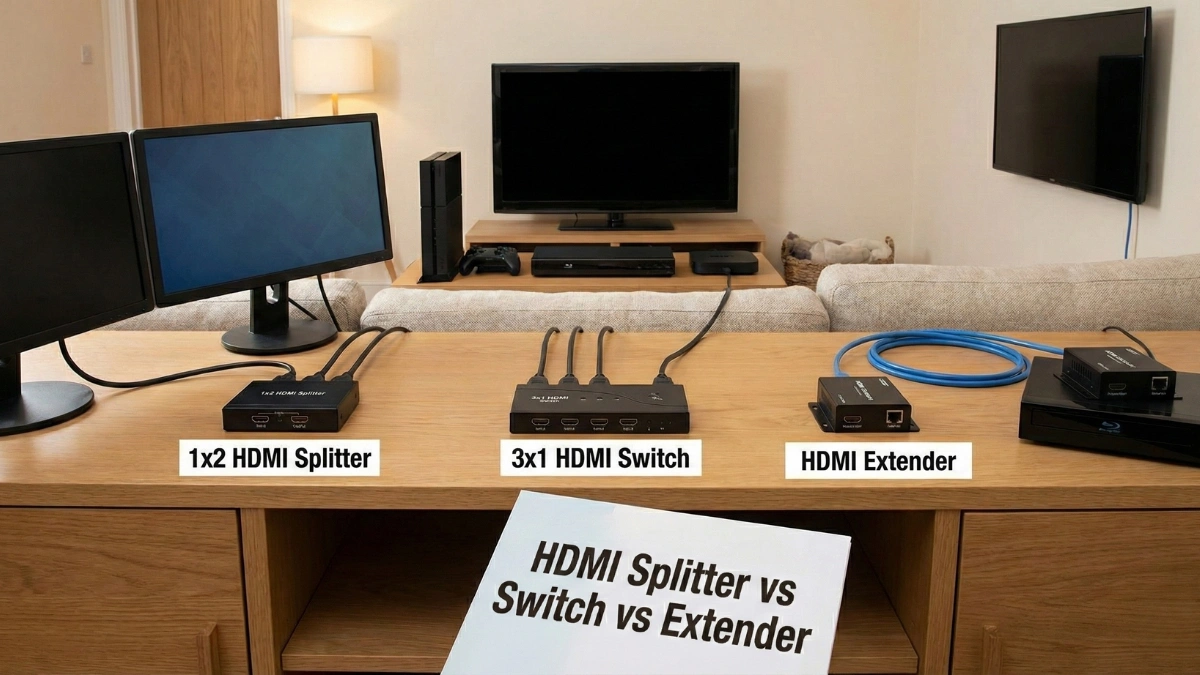
HDMI splitters, switches and extenders are often confused because they look similar and are sometimes used in the same setups. Choosing the wrong device can lead to signal loss, missing features or a system that simply does not work as expected. Understanding the difference between these devices helps beginners build a working setup and helps installers avoid costly mistakes.
This simple guide explains what an HDMI splitter, HDMI switch and HDMI extender actually do, when to use each one, and how to choose the right option for home theatres, offices and professional AV installations.
Why These HDMI Devices Exist
Modern AV setups usually involve multiple source devices such as streaming boxes, gaming consoles and media players, along with one or more displays. HDMI splitters, switches and extenders are designed to solve different connection problems depending on how many sources, how many displays and how far signals need to travel.
Using the correct device ensures stable video, working audio and full feature support.
What Is an HDMI Splitter?
An HDMI splitter takes one HDMI source and sends the same signal to multiple displays at the same time. Every connected screen shows identical content.
HDMI splitters are commonly used when the same video needs to appear on more than one TV, such as in retail displays, sports bars or presentation rooms.
What Is an HDMI Switch?
An HDMI switch allows multiple HDMI sources to connect to a single display. It lets you choose which device appears on the screen without unplugging cables.
HDMI switches are ideal for TVs with limited HDMI ports or for setups where several devices share one display.
What Is an HDMI Extender?
An HDMI extender is used to send HDMI signals over long distances where standard HDMI cables are not reliable. Most extenders use Cat6 network cable to carry the signal much farther than HDMI alone.
HDMI extenders are commonly used in large homes, offices, commercial buildings and AV distribution systems.
HDMI Splitter vs Switch vs Extender Comparison
| Device | What It Does | Best Use Case | Key Limitation |
|---|---|---|---|
| HDMI splitter | One source to many displays | Same content on all screens | No independent content |
| HDMI switch | Many sources to one display | Limited HDMI ports | Single display only |
| HDMI extender | Extends HDMI over long distance | Long cable runs | Requires extra hardware |
This comparison clearly shows why these devices are not interchangeable.
When to Use an HDMI Splitter
Use an HDMI splitter when you want the same video on multiple screens. It is perfect for digital signage, mirrored displays and simple multi-screen viewing where content does not need to change per screen.
Always check that the splitter supports the resolution and HDCP requirements of your devices.
When to Use an HDMI Switch
Use an HDMI switch when you have several devices but only one display. This is common in home theatres where a TV is shared between a console, streaming box and Blu-ray player.
HDMI switches simplify cable management and make daily use more convenient.
When to Use an HDMI Extender
Use an HDMI extender when the distance between the source and display is too long for a standard HDMI cable. This often applies to wall-mounted TVs, projectors or multi-room AV setups.
Extenders are essential for maintaining signal quality over long distances.
Common Mistakes Beginners Make
Using a splitter when independent content is required causes confusion. Expecting a switch to feed multiple TVs leads to failure. Running long HDMI cables instead of using extenders results in signal dropouts.
Installers avoid these issues by matching the device to the exact problem being solved.
Installer Tips for Choosing the Right Device
Always count how many sources and displays are involved. Measure cable distances before buying hardware. Confirm resolution and HDCP compatibility. Plan for future upgrades and expansion.
These steps prevent rework and ensure long-term reliability.
Final Thoughts
HDMI splitters, switches and extenders each solve a different problem. Understanding their roles makes AV setups simpler, cleaner and far more reliable.
Choosing the right device from the start avoids frustration and ensures your system performs exactly as intended.
Frequently Asked Questions
What is the difference between an HDMI splitter and a switch?
A splitter sends one source to many displays, while a switch lets many sources share one display.
Can an HDMI splitter show different content on different TVs?
No. All connected displays show the same content.
Do HDMI extenders reduce video quality?
Quality extenders maintain full resolution when installed correctly.
Can these devices support 4K and 8K?
Yes, depending on the model. Always check specifications.
Are HDMI extenders better than long HDMI cables?
Yes. Extenders are more reliable for long distances.